
AI Video Ads That Fit Every Social Platform
A small business has a promising AI-assisted product video ready for launch. Then the previews reveal the unfinished work: captions cover the bottle in one feed, the call to action makes no sense in another, and nobody has checked whether the synthetic voice is licensed for advertising. The clip looks finished. The advertisement isn't.
Table of Contents
- Why AI Video Ads Need More Than a Generated Clip
- Choose an AI Video Ad Format That Fits Your Goal
- Create AI Video Ads From Brief to Approved Export
- Balance Faster Production With Trust and Quality
- How Knowlify Can Help
- See AI Video Ad Examples for Three Business Goals
- Adapt and Schedule AI Video Ads Across Social Platforms
- Test Whether AI Video Ads Improve Business Results
- Start With One Campaign You Can Learn From
Why AI Video Ads Need More Than a Generated Clip
The useful deliverable isn't generated footage. It's an approved, platform-ready creative variant, complete with accurate claims, cleared audio, readable captions, an appropriate next step, and a named destination.
That distinction matters as AI-assisted production becomes more common. A secondary summary of IAB research reported that approximately 30% of digital video advertisements in 2025 were created or enhanced with generative AI and projected 39% for 2026. The latter figure is a forecast, not a confirmed outcome.
Practical rule: A successful render belongs in the review queue, not automatically in the publishing queue.
AI video ads describe creative production, not automatic media buying. Generating a scene doesn't establish targeting, approve spending, or activate a paid campaign.
A social media manager still needs to decide what the advertisement promises, whether the visuals prove it, and how the finished version should appear in its intended placement. Separating those responsibilities keeps an attractive clip from becoming an expensive publishing mistake.
Choose an AI Video Ad Format That Fits Your Goal
How a video is made and what the audience experiences are separate decisions. A product demonstration can use genuine footage with AI-assisted editing, while an imaginative brand introduction might use generated scenery.
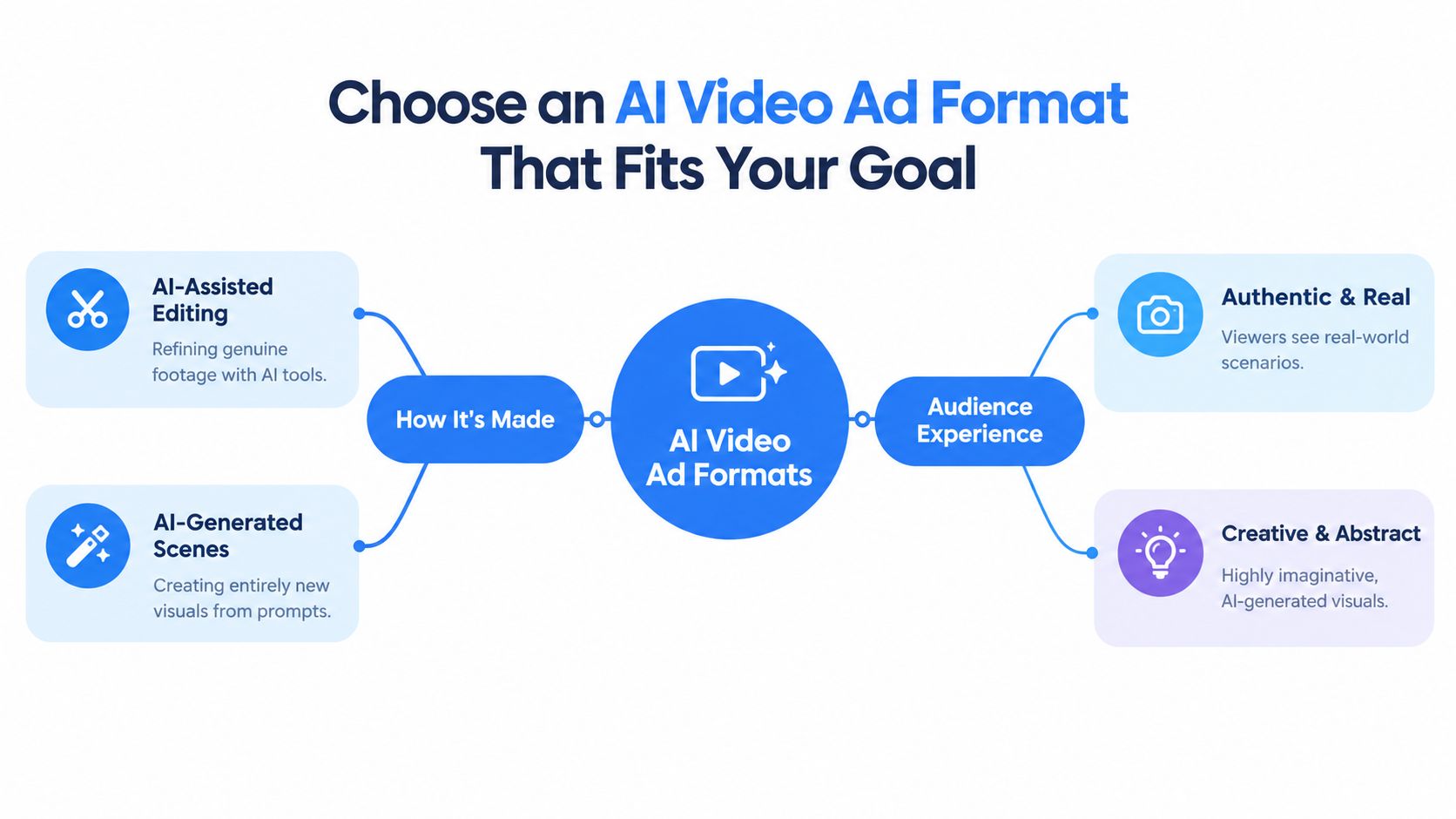
Match production methods to proof requirements
AI-assisted editing is a sensible starting point when the product's appearance or operation matters. Teams can retain the actual footage while using assistance for rough cuts, caption drafts, background cleanup, or narration.
Generated scenes suit creative concepts that don't need to document reality. A floating scene behind a reusable bottle can establish a stylized mood. It shouldn't imply that the bottle has survived a real-world durability test.
Synthetic presenters add another choice. They can deliver approved explanatory copy, but their appearance shouldn't suggest personal experience they never had.
| Creative format | Appropriate source material | Main advertising job |
|---|---|---|
| Product demonstration | Actual product footage | Show operation or a visible feature |
| Software explainer | Current screen recordings | Explain a workflow and next step |
| Customer testimonial | Permissioned customer material | Present genuine experience |
| Offer-led video | Verified offer and authentic business imagery | Encourage a purchase or booking |
| Stylized awareness video | Clearly imaginative scenes | Introduce a brand or concept |
Choose evidence before visual style
A software company explaining an interface should prioritize a current screen recording over a generated imitation. A retailer demonstrating a lid should show the actual mechanism. A service business introducing its team should use authorized staff imagery.
Creator-style delivery isn't authentic customer testimony. A conversational synthetic presenter can explain an offer, but a fictional character shouldn't claim to have bought, used, or benefited from the product.
AI can handle individual tasks on a production line without taking responsibility for the finished advertisement. The creative lead still owns the distinction between illustration and evidence.
The best format follows the campaign objective, available proof, and audience expectations. Novelty belongs after those decisions, not before them.
Create AI Video Ads From Brief to Approved Export
A reusable water bottle provides a straightforward production example. The campaign needs to show a real object clearly, make a supportable promise, and give prospective buyers an obvious next step.
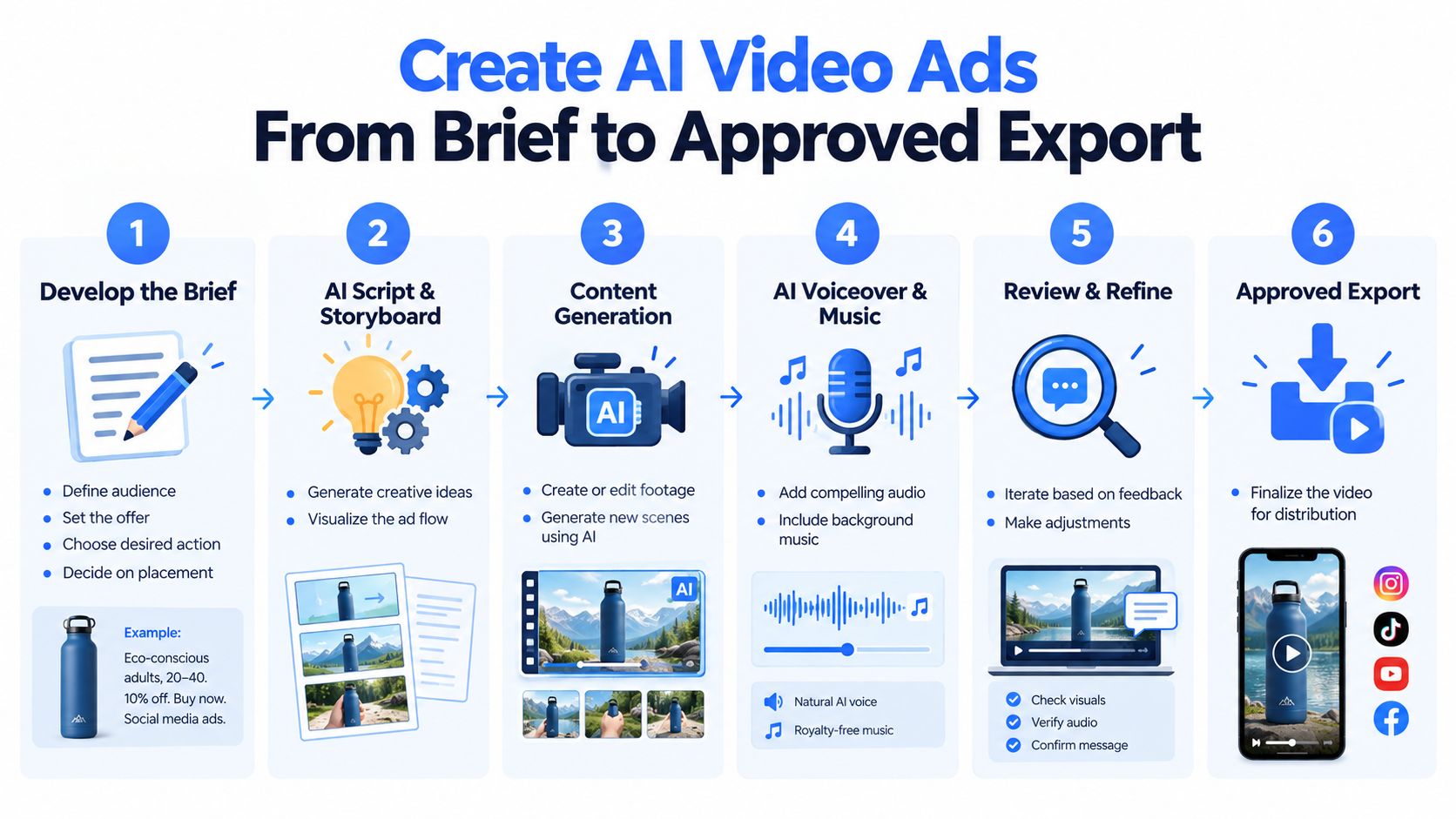
Establish the brief and script before rendering
The brief should name the intended audience, offer, desired action, destination placement, and approved claims. For this hypothetical bottle campaign, the creative might address commuters and direct them to the product page.
Claims such as leak resistance, insulation performance, or material composition need supporting documentation before entering the script. If that evidence isn't available, the creative should demonstrate visible features without adding performance promises.
A workable script has distinct jobs:
- Hook: Introduce the use case, such as a bottle packed beside a commuter's lunch.
- Demonstration: Show the actual lid opening, filling process, and bottle placement.
- Proof point: Highlight a documented feature or a clearly visible detail.
- Call to action: Direct interested viewers to the relevant product page.
The script should settle the message before the team spends time generating decorative scenes. Otherwise, reviewers may end up approving attractive footage that doesn't support the offer.
Constrain generation around approved assets
A reusable prompt pattern can keep the model's assignment narrow:
Using the approved product footage and brand assets, create a calm commuter setting around the bottle. Keep its shape, logo, color, lid, and proportions unchanged. Leave clear space for captions. Don't depict unverified performance, add certification marks, invent packaging, or create endorsements. Return editable scene elements and an export suited to the approved placement.
When exact product geometry matters, real footage should remain the anchor. Generated surroundings can support the scene without reconstructing the bottle itself.
Narration should follow the approved script. Audio needs appropriate commercial permissions, and caption drafts need checks for product names, offer wording, punctuation, and synchronization.
Budget for acceptance, not generation
A vendor-industry estimate of AI video production costs places API generation costs for a 15-second clip at $0.75 to $7.50, with three to eight attempts potentially needed for a usable result. These are illustrative estimates, not audited benchmarks.
The useful internal calculation is accepted-asset cost: generation attempts, editing, licensing, and human review divided by approved deliverables. A discarded render still consumed resources.
Before export, reviewers should check:
- Product fidelity: No altered logo, changing lid, distorted hand, or impossible movement.
- Message accuracy: Spoken copy, captions, offer, and destination agree.
- Audio and readability: Speech is intelligible and text remains legible.
- Approval completeness: Required rights, claims, and disclosure checks are recorded.
The final handoff should include approved exports and an external asset log. Useful fields include version, model, prompt, source footage, rights documentation, approved claims, disclosure status, reviewer, and destination.
That record distinguishes a file that merely exists from an advertisement the team can confidently use.
Balance Faster Production With Trust and Quality
Faster variation is valuable only when reviewers can keep up. Producing alternative openings is useful; producing a backlog of unchecked claims isn't.
The same trade-off applies to localization. Assisted translation can create a draft, but a fluent reviewer still needs to check meaning, pronunciation, offer conditions, captions, and any lip-sync mismatch.
Assess the practical trade-offs
| Production benefit | Limitation to manage |
|---|---|
| Easier visual variation | More versions need factual and brand review |
| Accessible scene creation | Generic imagery or inaccurate products can weaken credibility |
| Assisted localization | Language and cultural checks remain necessary |
| Synthetic narration | Voice permissions and delivery quality need scrutiny |
| Stylized animation | Viewers must not mistake illustration for demonstrated performance |
Low generation prices don't guarantee inexpensive approved creative. Teams may spend more time repairing a generated product shot than filming a straightforward demonstration.
Real people and footage remain the better choice when trust depends on identity, personal experience, or observable performance. Generated components are more defensible when they illustrate rather than impersonate.
Make disclosure a contextual decision
IAB research on consumer attitudes toward AI advertising found that more than half of consumers want disclosure for fully AI-generated advertising or AI video, while nearly half want it for AI voices, avatars, or virtual characters. Those preferences support transparency, but they don't establish that labeling alone creates trust.
A practical review asks:
- What is synthetic? Identify generated people, voices, settings, and materially altered actions.
- What could viewers misunderstand? Check whether the execution implies real experience, endorsement, or product evidence.
- What requirements apply? Verify current platform requirements and relevant local rules.
- Where will disclosure be noticed? Consider the video, caption, and available platform labeling controls.
Any claim of human supervision must describe actual oversight. An unchecked automated export shouldn't carry wording that suggests a person reviewed the advertisement.
Transparency doesn't repair a fabricated endorsement or a misleading demonstration.
Consent for likenesses and voices, commercial usage rights, music permissions, and claim substantiation deserve separate checks. A model subscription or downloadable asset shouldn't be treated as blanket clearance for every advertising use.
The safest creative choice is sometimes less synthetic: an authentic product shot, a licensed narrator, and a clear caption can communicate the offer without unnecessary reputational risk.
How Knowlify Can Help
An agency can be the better fit when a business has approved product information but lacks the capacity to turn it into a recurring stream of finished advertisements. Knowlify's current offer is managed video advertising services, rather than its former self-service animation or training-video tools.
Different briefs need different treatment
These are hypothetical assignments, not reported client campaigns:
- A B2B software launch: An AI commercial could explain the business problem while approved interface footage supplies product evidence.
- A B2C brand introduction: A stylized character-animation ad could establish a memorable concept without presenting the character as a customer.
- A paid-social offer: An AI UGC-style ad could deliver conversational copy, provided it doesn't imply fabricated personal experience.
Knowlify handles concepts, scripts, production, editing, and sound, with a human quality check on every finished ad. Its creative as a service approach is relevant for teams seeking ongoing production rather than another tool to operate internally.
Clarify the service boundary
Knowlify describes its managed advertising service as beginning with a 20-minute kickoff, followed by creative direction for approval within 48 hours and an initial finished batch five days after the call; monthly plans include weekly batches of about 25 finished ads per week. Campaign results help inform subsequent creative.
Clients can select production alone or add end-to-end Facebook and Instagram campaign management. Media spend is separate, clients retain their ad accounts and finished ads, and responsibilities and pricing are agreed in the proposal.
The service fits businesses prepared to supply accurate claims, brand assets, and timely approvals. It's less suitable when a team needs hands-on editing software or hasn't yet resolved its offer and evidence. Outsourcing execution doesn't remove the client's responsibility to approve truthful advertising.
See AI Video Ad Examples for Three Business Goals
The following hypothetical mini-briefs illustrate different proof requirements. They're starting points, not customer stories or claims of campaign performance.
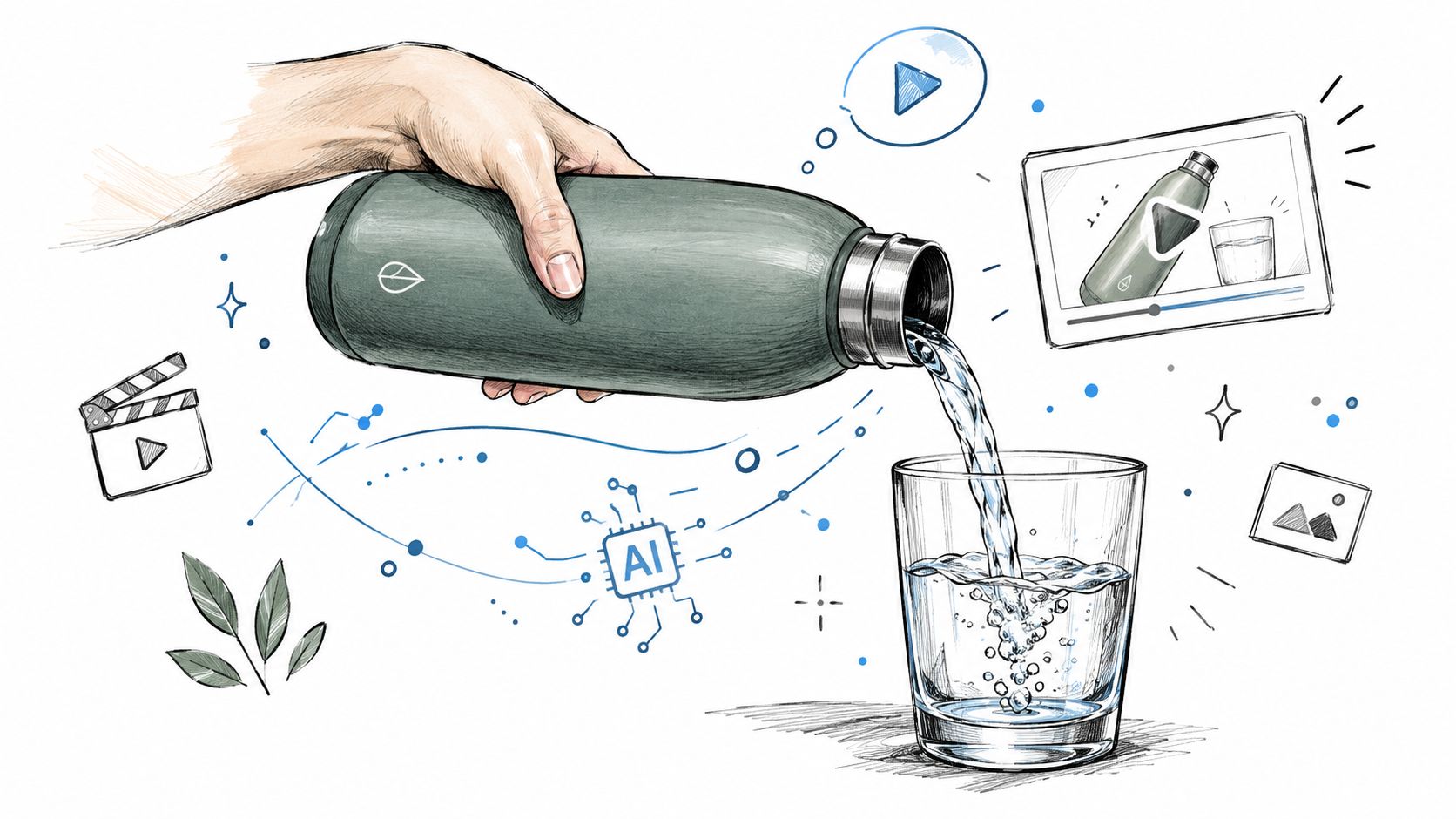
Online retailer selling a reusable bottle
Opening line: “A bottle for the daily commute.”
The sequence shows the actual bottle being filled, its lid closing, and the product beside a packed bag. A final card directs viewers to the product page without adding unsupported durability or insulation claims.
AI can assist with captions, background cleanup, and alternative opening text. The product, mechanism, and demonstration must remain authentic. Completed purchases are the appropriate business outcome for a purchase-focused campaign.
Software company explaining a workflow
Opening line: “Turn scattered requests into a clear task list.”
A current screen recording shows a request arriving, moving into the relevant workflow, and reaching its intended status. Human-checked narration explains the visible actions, followed by a trial-oriented next step.
AI can help tighten the script and prepare caption drafts. The interface and capability shown must match the available product. Qualified trial activations, defined by the company's meaningful activation event, provide a more useful outcome than video views alone.
Local service business encouraging bookings
Opening line: “Appointments available for the next service visit.”
Authentic premises and authorized staff imagery introduce the business, followed by a verified offer and booking instructions. The creative should avoid invented customers, fabricated reviews, or an availability claim that becomes stale before publication.
AI can assist with assembly, captions, and a licensed voiceover. The location, staff identities, and offer conditions must remain real. Confirmed bookings should guide the campaign decision.
For each example, the organic caption and paid-ad destination need separate attention. A purchase instruction that works beside an advertising button may need different wording in an ordinary social post.
Adapt and Schedule AI Video Ads Across Social Platforms
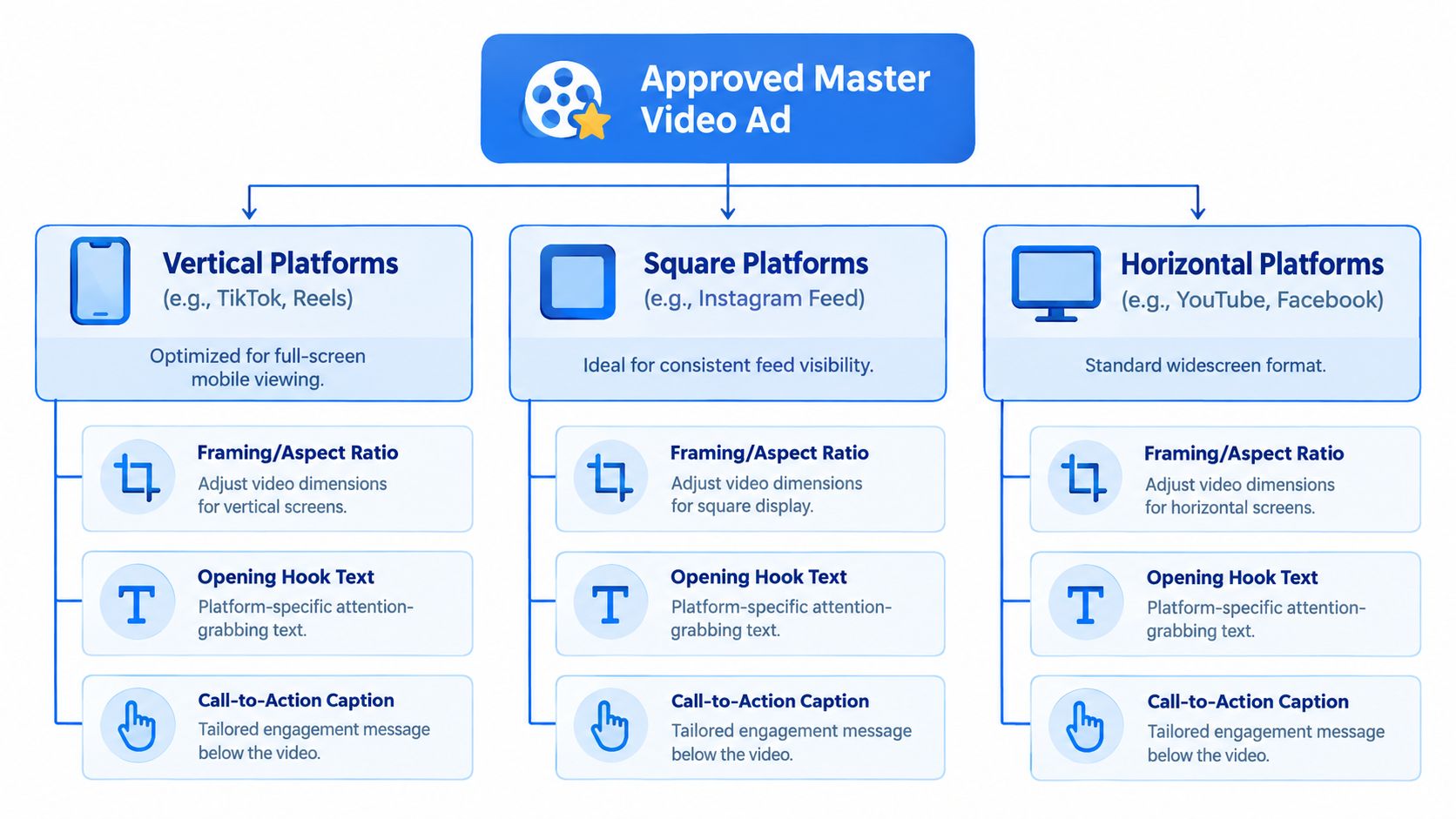
An approved master is source material for destination-specific versions, not a universal upload. Framing, opening text, subtitle placement, audio, cover imagery where supported, and the call to action all need placement-level checks.
Package the message for the viewing context
TikTok, Instagram Reels, and YouTube Shorts warrant previews designed around full-screen mobile viewing. The product should remain visible after reframing, and captions shouldn't conflict with interface elements. An opening created for a longer explainer may need a different cut when the placement requires an immediate visual demonstration.
Facebook and LinkedIn feeds deserve their own editorial treatment. The same software recording might emphasize an individual task on one destination and the operational benefit on another. Caption copy should establish enough context for viewers who encounter the post without prior campaign exposure.
Pinterest, Threads, and X shouldn't be treated as interchangeable destinations. The publishing team should verify whether the intended video post type is supported by the connected account and publishing tool, then adapt the surrounding copy and destination action accordingly.
Aspect ratios and durations belong to placements, not permanent platform labels. The diagram illustrates adaptation choices rather than fixed technical rules. Current official requirements should be checked before export, especially when the same network offers several video surfaces.
A secondary AI-ad benchmark reports 52% completion for 15-second TikTok ads versus 11% for 90-second TikTok ads. Its methodology isn't sufficiently established to conclude that shorter advertisements always perform better; it offers a directional reason to test placement-specific cuts.
Keep scheduling separate from paid delivery
An organic scheduling queue should contain approved versions with destination-specific captions and clear file names. A practical scheduling check includes:
- Account selection: Confirm the correct brand, client, and profile.
- Compatibility: Check the supported media and post type for each destination.
- Time zone: Verify the intended local publishing time.
- Review buffer: Leave room for corrections before the scheduled slot.
- Calendar status: Check whether each post remains scheduled, needs attention, or has published.
Timing should follow audience behavior and campaign context, not a universal best-time claim. A local appointment offer and an international software announcement may require different schedules.
Distribution boundary: Placing an organic video on a calendar doesn't activate a paid advertising campaign.
Paid targeting, budgets, placements, bidding, and activation belong in native advertising tools or an explicitly contracted campaign-management service. Organic scheduling handles publication, not those media-buying decisions.
Teams should also avoid confusing orderly distribution with performance optimization. Spreading approved videos across planned slots is an operational convenience. It doesn't establish which creative causes better business results.
The clean handoff is a destination-ready export, its approved organic copy where relevant, and a separate paid-media instruction when advertising is planned.
Test Whether AI Video Ads Improve Business Results
Production efficiency and advertising effectiveness are different questions. A cheaper approved asset can perform poorly, while a more expensive creative may generate worthwhile customers.
A secondary summary of recent IAB research reports that 62% of U.S. video-ad buyers use generative AI to build or enhance creative, compared with 51% in the prior year. Adoption measures usage, not incremental effectiveness.
Define a comparison that answers a business question
A useful hypothesis might be whether an AI-assisted opening improves qualified leads compared with the existing opening. The comparison should change that creative element while keeping the audience, offer, placement, budget, conversion event, and attribution window as consistent as possible.
Native randomized testing is preferable where available. Sequential organic posts can provide feedback, but they can't establish causation because timing and audience exposure differ.
- Click-through rate: The proportion of impressions that produce clicks.
- Completion rate: The proportion reaching the end, using the platform's stated denominator.
- Cost per acquisition: Advertising spend divided by attributed acquisitions.
The campaign objective determines which metric matters most. Completion can help diagnose attention, but a purchase campaign shouldn't declare success solely because more viewers finished watching.
Decide what to keep, revise, or stop
Accepted-asset production cost should remain separate from media cost. That allows the team to distinguish an efficient production process from an effective advertisement.
A promising opening with weak qualified outcomes may need revised proof or offer alignment. Misleading creative should stop regardless of engagement. An inconclusive comparison should remain inconclusive rather than becoming a claim that AI universally wins or loses.
Attribution settings belong in native campaign tools, while approvals and provenance can remain in external logs. Scheduling records show publication activity, not proof of incremental sales.
Start With One Campaign You Can Learn From
A manageable first commitment is a single offer, an appropriate format, and a small set of approved variations for the platforms where the intended audience is active. Genuine proof should remain central, with synthetic elements disclosed where required and expansion tied to useful results.
Generating footage, approving an advertisement, scheduling an organic post, and launching a paid campaign are separate actions. Keeping those boundaries clear helps a small team avoid treating unfinished production work as launch-ready marketing.
The strongest starting point is a campaign with a clear question, not a folder full of unused renders.
For the organic publishing handoff, teams can use PostWing's social media calendar to organize approved video versions, customize compatible posts by destination, and monitor publishing status. The next action is specific: select the approved campaign files, confirm their accounts and captions, and place them into planned calendar slots, while keeping paid activation in the appropriate advertising tools.