
Virtual Legal Assistant Services: How to Adopt Them Safely
Virtual legal assistant services aren't autonomous lawyers. They are supervised support layers for intake, scheduling, document routing, and drafting, while attorneys retain responsibility for final legal judgment. That model fits a market where 31% of legal professionals reported using generative AI at work, while human review remains essential (American Bar Association).
A typical firm discovers the issue during an ordinary Monday morning. Intake forms sit in an overflowing inbox, two calendars contain conflicting deadlines, and a partner is reviewing a first-pass document that should have been organized before it reached the attorney. The firm wants more capacity, but adding full-time staff may feel premature. A remote assistant appears to solve the problem, until someone asks the question that determines whether the arrangement works: who will supervise the work, and how much rework will it create?
Table of Contents
- Why Law Firms Are Turning to Virtual Legal Assistance
- The Evolution From Traditional Outsourcing to Digital Assistance
- Understanding What Virtual Legal Assistants Actually Do
- Security and Confidentiality Requirements for Legal Assistants
- How LatHire Can Help
- Pricing Ranges and Hidden Supervision Costs
- When Virtual Legal Assistance Makes Sense for Your Firm
- Onboarding and Supervision Best Practices
- Common Misconceptions About Virtual Legal Assistance
Why Law Firms Are Turning to Virtual Legal Assistance
A mid-sized firm may not need another attorney to manage routine intake, calendar coordination, document naming, or client follow-up. It may need a dependable operational layer that keeps those tasks moving without forcing partners to become project coordinators. Virtual legal assistant services can provide that layer, but only when the firm separates delegation from legal judgment.
The attraction is understandable. A remote assistant can work inside the firm's approved systems, follow documented procedures, and escalate exceptions instead of interrupting attorneys with every routine question. The firm gains flexibility without immediately building a larger internal department. The trade-off is that the lawyer still owns the quality of the delegated work.
Practical rule: A task is suitable for delegation when the firm can describe the expected output, the escalation trigger, and the review point without relying on informal judgment.
The structural shift toward remote support is supported by the broader move to cloud-based legal operations. Among firms with more than 50 lawyers, cloud-computing adoption rose from approximately 60% in 2021 to 94% in 2024, according to the University of Oxford lawtech adoption survey. A virtual assistant depends on precisely that environment, including browser-based practice management, document, calendaring, and communication systems.
The real decision is supervision capacity
The wrong question is, “How cheaply can the firm obtain administrative help?” The better question is, “Can the firm create a workflow in which the assistant's output rarely needs correction?”
That distinction changes vendor selection. A lower hourly rate may become expensive if attorneys must rewrite drafts, verify every calendar entry, chase incomplete intake information, or correct a jurisdiction-specific mistake. A slightly more structured service can be more efficient if it reduces interruptions and gives attorneys a reliable review queue.
Firms should begin with a narrow workflow, document it, and measure the exceptions. Intake routing, deadline reminders, and document classification usually provide clearer starting points than legal conclusions. Once the firm knows where review is necessary, it can expand delegation without pretending that remote support removes professional responsibility.
The Evolution From Traditional Outsourcing to Digital Assistance
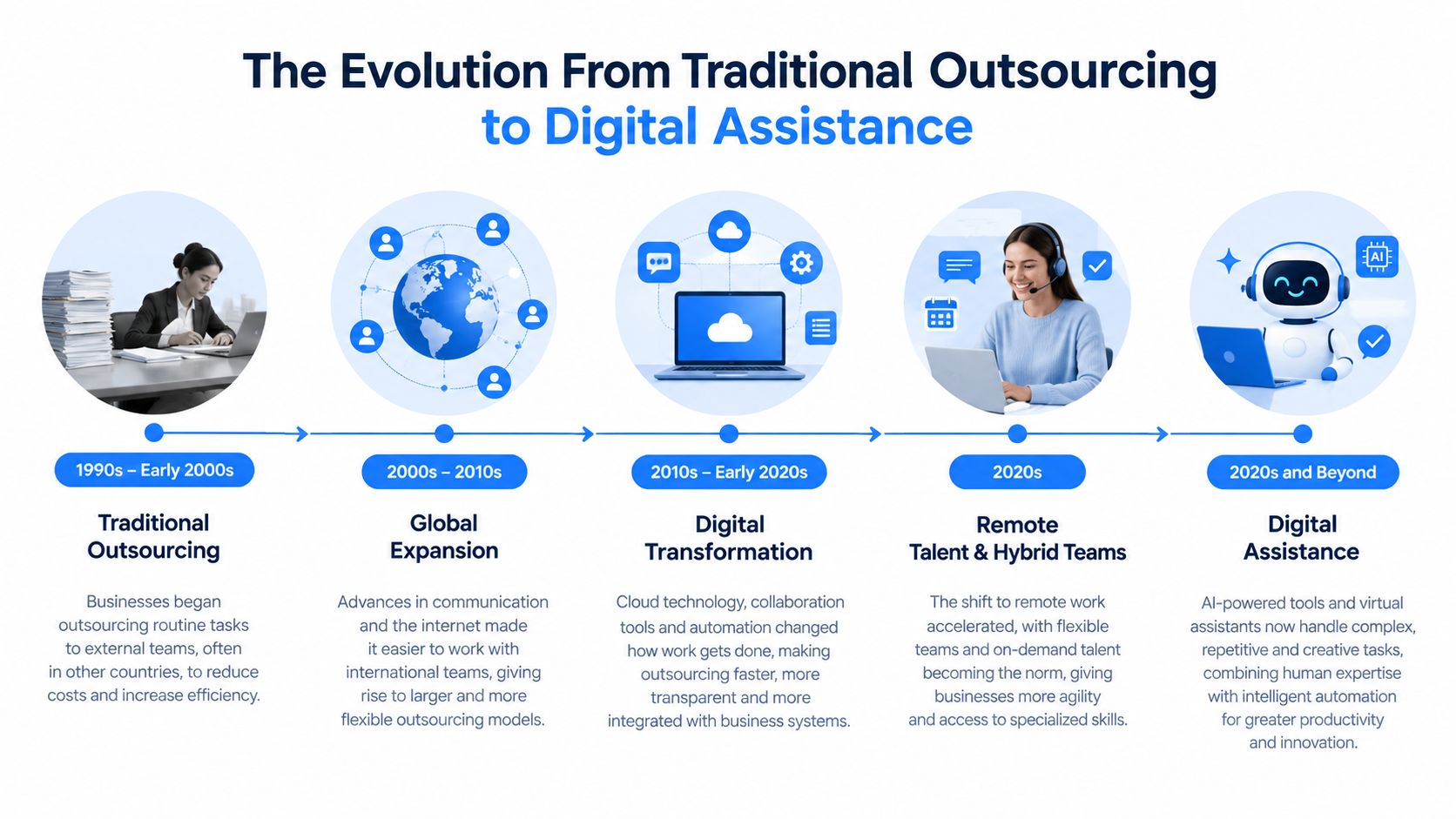
A lawyer once sent transcription, formatting, billing, or document-preparation work to an outside provider and waited for the finished file. Virtual legal assistant services now place that support inside the firm's working systems. An assistant can receive an intake task, update the matter record, prepare follow-up items, and route work for review without creating a separate administrative track.
Cloud-based tools made this shift practical. A remote worker does not need access to a physical file room or office calendar when the firm provides secure browser-based applications, controlled accounts, and defined permissions. The quality of the arrangement depends on how well those systems are configured. Poor permissions, unclear handoffs, or incomplete matter data can create more attorney supervision than the outsourced task saves.
Digital foundations came before advanced AI
The Oxford survey found that document and knowledge management was used by 80% of respondents, accounts and time recording by 69%, and document automation or matter workflow by 43%. These figures describe the infrastructure that lets an assistant contribute beyond generic clerical work. The assistant can follow matter-specific procedures because the firm's records, documents, and tasks already have a digital home.
AI adoption remains uneven. The survey reported legal research use at 27%, due diligence at 16%, and e-discovery or technology-assisted review at 12%. That pattern supports a hybrid workflow. Software may extract information or produce a draft, while a human assistant checks whether required fields and attachments are present, places the output in the correct matter, and sends uncertain items to an attorney.
Human support fills operational gaps
The American Bar Association's 2025 Legal Industry Report found that 54% of legal professionals used AI to draft correspondence, while 14% used it to analyze firm data and matters. The operational gap is clear: producing text is only one step in a legal workflow.
Someone still must confirm the intended recipient, check attachments, record the next action, and route the draft for attorney review. Virtual assistance developed to manage those handoffs. The strongest setup treats the assistant as a controlled participant, with defined inputs, outputs, and escalation points. That structure reduces rework and makes the service's efficiency depend on workflow design rather than the hourly rate alone.
Understanding What Virtual Legal Assistants Actually Do
The safest delegation model starts by classifying tasks according to risk. Routine coordination can often proceed under a documented procedure. Anything that involves legal advice, a privilege determination, a filing decision, or a jurisdiction-specific conclusion requires attorney oversight and may be restricted by local rules.

Lower-risk workflow support
A virtual assistant can usually work independently within approved boundaries when the task has a clear input, defined output, and escalation path. Suitable examples include:
- Client intake: Capture contact details, matter type, urgency, conflicts-screening information, and missing documents using an approved form or script.
- Calendar coordination: Propose available times, send scheduling confirmations, and update non-substantive appointments without interpreting legal deadlines.
- Document classification: Apply naming conventions, organize files, identify duplicates, and route documents to the correct matter.
- Deadline reminders: Enter attorney-provided dates, issue reminders, and escalate overdue confirmations.
- First-pass extraction: Pull specified fields from a document, such as names, dates, parties, or referenced exhibits, while preserving the source file.
These tasks still need quality checks. An assistant who enters the wrong date or attaches the wrong document can create a serious operational problem even without giving legal advice.
Review-required work
Draft correspondence, draft pleadings, legal research summaries, client updates, and extracted factual chronologies should move through an attorney review queue. The assistant may prepare the first version, but the responsible lawyer must verify accuracy, context, tone, citations, and jurisdictional fit before release.
Filings require particular care. The assistant may prepare a filing package or complete a mechanical upload under documented instructions, but an attorney should confirm the document, court, deadline, service requirements, and final submission. The same principle applies to privilege determinations and client-facing conclusions.
The North Carolina Bar guidance on virtual assistance for law firms highlights why licensing, credentials, conflicts, billing treatment, supervision, and unauthorized practice concerns must be considered separately. A task list alone isn't enough. The firm needs a task-by-task boundary map that identifies what the assistant may complete, what requires sign-off, and what the jurisdiction may prohibit.
Security and Confidentiality Requirements for Legal Assistants
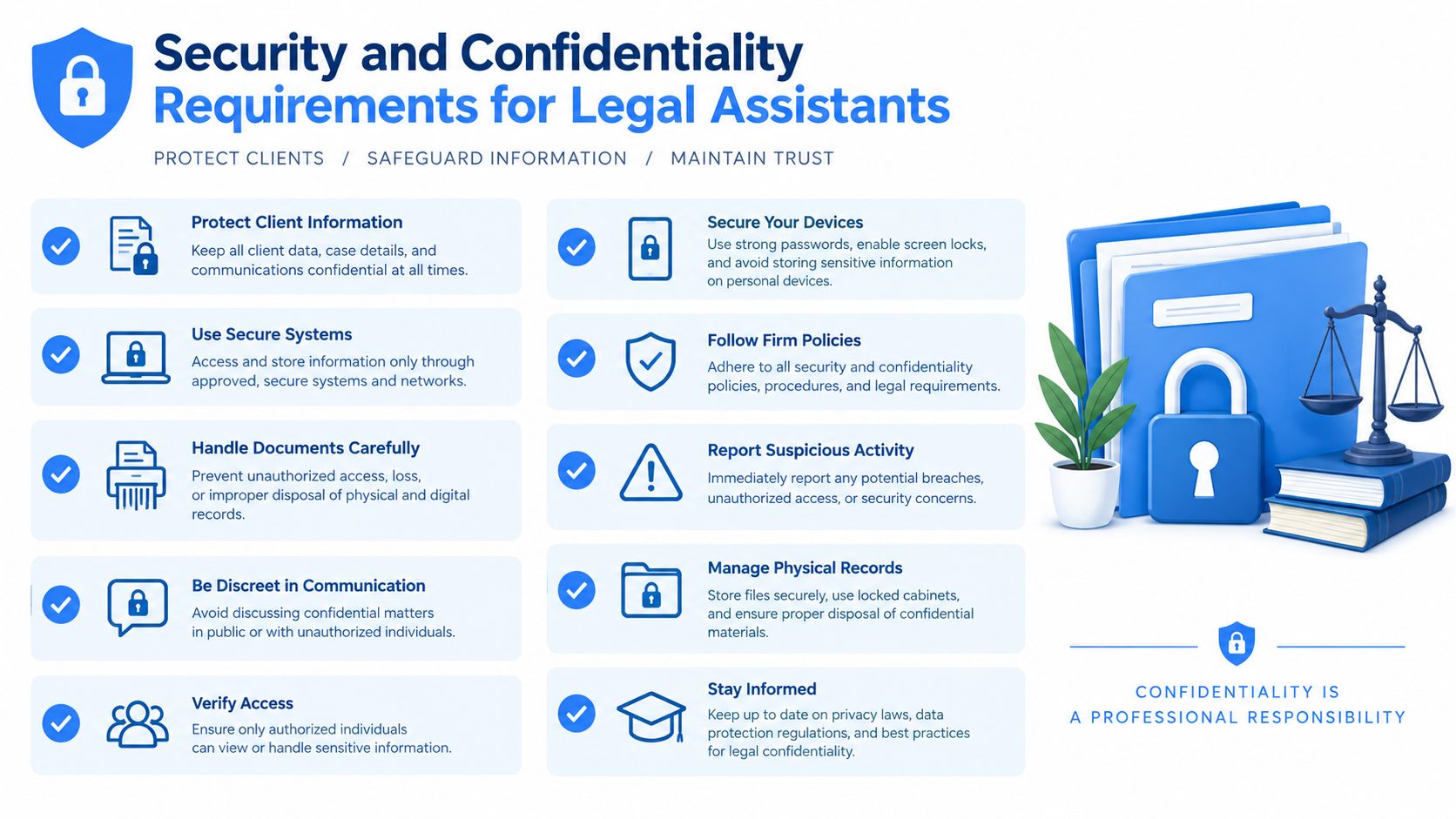
Confidentiality isn't satisfied by signing an NDA. A virtual legal assistant may handle privileged communications, personally identifiable information, litigation records, and evidence, so the firm must control both the legal relationship and the technical environment.
The Holland & Knight guidance on virtual law practices emphasizes vendor security, confidentiality terms, backups, breach procedures, and remote-access controls. Those questions should be answered before client data enters the service, not after an incident.
Controls the firm should require
A defensible setup should include:
- Firm-controlled accounts: Avoid shared credentials and personal email. Each assistant should have an identifiable account that the firm can disable.
- Least-privilege permissions: Give access to only the matters, folders, and functions required for assigned work.
- Multifactor authentication: Require an additional authentication factor for every system containing client information.
- Encryption: Protect information in transit and at rest, including stored documents and backups.
- Audit trails: Preserve records of source documents, assistant outputs, reviewer identity, corrections, and final disposition.
- Retention and deletion controls: Define what remains in the system, when it is deleted, and how deletion is verified.
- Contractual limits: Restrict provider data reuse, subcontractor access, and model training unless the firm has expressly approved those practices.
Vendor questions that expose weak governance
The provider should explain where data is stored, how government requests and subpoenas are handled, whether subprocessors can access files, and how information is exported or securely deleted when the engagement ends. The firm should also ask how quickly an incident is reported and who investigates it.
Generative AI adds another layer of risk. An assistant who pastes client content into an unapproved tool may expose information even if the staffing provider has strong internal policies. The ABA Formal Opinion 498 supports a broader approach based on reasonable efforts to prevent unauthorized access or disclosure.
An NDA creates accountability. It doesn't create secure devices, controlled permissions, approved AI tools, or reliable deletion.
How LatHire Can Help
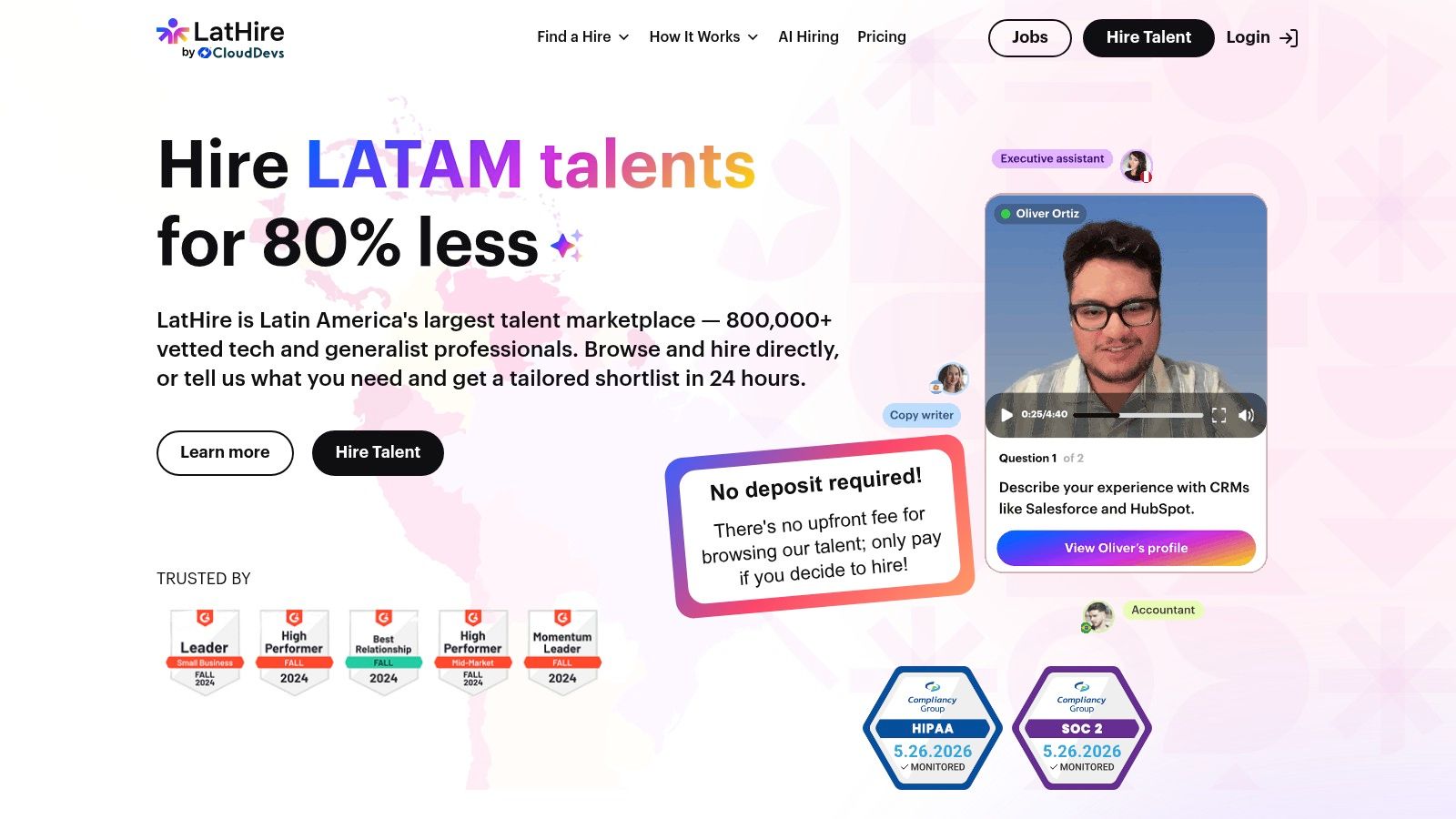
LatHire can be relevant when a firm needs cross-border recruiting support but doesn't want attorneys or practice managers to manage sourcing, screening, payroll, benefits, and compliance separately. The platform connects United States and Canadian companies with pre-vetted Latin American professionals across operations and other functions, including administrative support.
Its stated process combines AI assessments, skills evaluations, and human-led background checks. The platform also offers job-description creation or import, candidate matching, international payroll and HR support, compliance assistance, time-zone availability, and flexible engagement models. Those features address a genuine operational problem: finding a candidate is only one part of deploying a remote assistant safely.
For more specialized legal support, HireParalegals.com focuses on remote legal assistants, paralegals, and intake specialists for law firms. Its emphasis on Latin American talent with prior US law firm experience, bilingual communication, and overlapping working hours is relevant to teams managing client intake, records, and ongoing case administration. Firms considering this route should assess each candidate's practice-area experience and familiarity with their case management software, alongside the level of supervision the role requires.
Where the platform fits, and where it doesn't
LatHire may suit a firm that has already defined its workflows and needs help sourcing a person to run them. It isn't a substitute for attorney supervision, conflict procedures, permission design, confidentiality review, or jurisdiction-specific legal analysis. The firm still needs to determine which matters the assistant can access and which work requires sign-off.
A provider that supports recruiting administration can reduce the burden of locating and onboarding talent, but it doesn't eliminate the firm's duty to assess the engagement. Before selecting a candidate, the firm should document practice-area requirements, communication hours, device expectations, approved systems, and escalation rules. Firms comparing staffing options can review Hire legal virtual assistants as one route to sourcing remote support, then compare it with a local hire, a specialized legal staffing provider, or a project-based marketplace.
The right choice depends less on the provider's feature list than on whether the candidate can follow the firm's controls without generating constant correction work.
Pricing Ranges and Hidden Supervision Costs
Virtual legal assistant services commonly use hourly billing, monthly packages, or custom arrangements. One published comparison lists Virtual Staffing from $12 per hour, Zirtual from $549 per month for 10 hours, Legal Soft from $2,227 per month for 160 hours, and Equivity from $2,880 per month for 160 hours (virtual legal assistant service comparison). These are listed package figures, not universal market rates. Confirm current pricing, inclusions, minimum commitments, and cancellation terms with each provider.
| Model | Apparent advantage | Hidden question |
|---|---|---|
| Hourly support | Capacity follows workload | Who reviews each hour of output? |
| Monthly package | Predictable access | Are unused hours useful, and is the assistant dedicated? |
| Project-based support | Defined deliverable | Who handles follow-up corrections? |
| Managed staffing | Recruiting and administration are delegated | Does the provider's process match the firm's security requirements? |
The headline rate is only one part of the decision. Total supervision load often determines whether the arrangement saves money. An assistant may prepare an intake summary that takes an attorney nearly as long to rebuild as it would have taken to prepare independently. The firm then pays for the assistant's time while retaining much of the attorney's original workload. Repeated explanations create the same problem when the firm has not documented its process.
Calculate the cost of rework
Track four measures for each delegated task:
- Review time: How long does an attorney or senior staff member spend checking the output?
- Correction time: How often must the firm repair missing, inaccurate, or misrouted work?
- Escalation rate: How frequently does the assistant stop the workflow with questions that a procedure should answer?
- Override rate: How often does the reviewer replace the assistant's result?
The ABA guidance on legal technology and supervision identifies measures such as precision, recall, citation validity, escalation rate, and attorney override rate for evaluating performance by task type. Apply the same discipline to human support workflows. Speed alone can hide correction work and missed handoffs.
A small firm can gain capacity without building an internal department, but the result depends on process design. Templates, checklists, permissions, and review rules reduce avoidable questions. Without them, a low-cost assistant may become another inbox for an already-busy lawyer, and the apparent hourly saving can disappear in supervision and rework.
When Virtual Legal Assistance Makes Sense for Your Firm
A virtual legal assistant earns their place when the firm has recurring work that matters, follows a defined process, and does not require attorney judgment at every step. Intake coordination, appointment management, document routing, status follow-up, and matter tracking are practical starting points because the firm can specify the inputs, output, and handoff before delegation.
The case is often stronger for smaller firms. Larger practices may have internal operations, IT, and knowledge teams. Smaller practices can add capacity through delegated support without building those functions in-house. The hourly rate matters, but supervision burden usually determines whether the arrangement saves time. If attorneys must repeatedly explain instructions, repair incomplete work, or check every minor step, the service has shifted work rather than reduced it.
A practical readiness test
Before assigning a client matter, answer five questions:
- Is the task repeatable? If each matter requires a different judgment call, the workflow needs more definition.
- Is the output definable? Give the assistant a concrete standard, such as a completed intake record or correctly routed document, rather than “make this better.”
- Is attorney review placed at the right point? Review belongs before legal advice, filings, privilege decisions, or client-facing conclusions.
- Can the firm restrict access? Broad, permanent access creates unnecessary confidentiality and security exposure.
- Can the firm measure quality? Define what counts as an error, escalation, late handoff, and successful completion.
A short pilot should test the workflow before the firm expands it. Choose bounded administrative work, set a named reviewer, and compare the assistant's output with the time attorneys spend correcting it. The result shows whether the process reduces workload or creates another queue for supervision.
Onboarding checklist before the first matter
- Create firm-controlled accounts and enable multifactor authentication.
- Assign permissions by role and matter, not convenience.
- Approve scripts for intake and client communications.
- Define conflict-screening and escalation procedures.
- Configure audit logging for document access and changes.
- Require attorney sign-off for drafts, filings, legal research, and conclusions.
- Prohibit unapproved personal email, downloads, and AI tools.
- Document retention, export, and deletion procedures.
- Record the incident-reporting route and access-revocation process.
Start with the least sensitive suitable workflow. Expand only after the assistant follows instructions consistently and attorneys can review the work without recreating it.
Onboarding and Supervision Best Practices
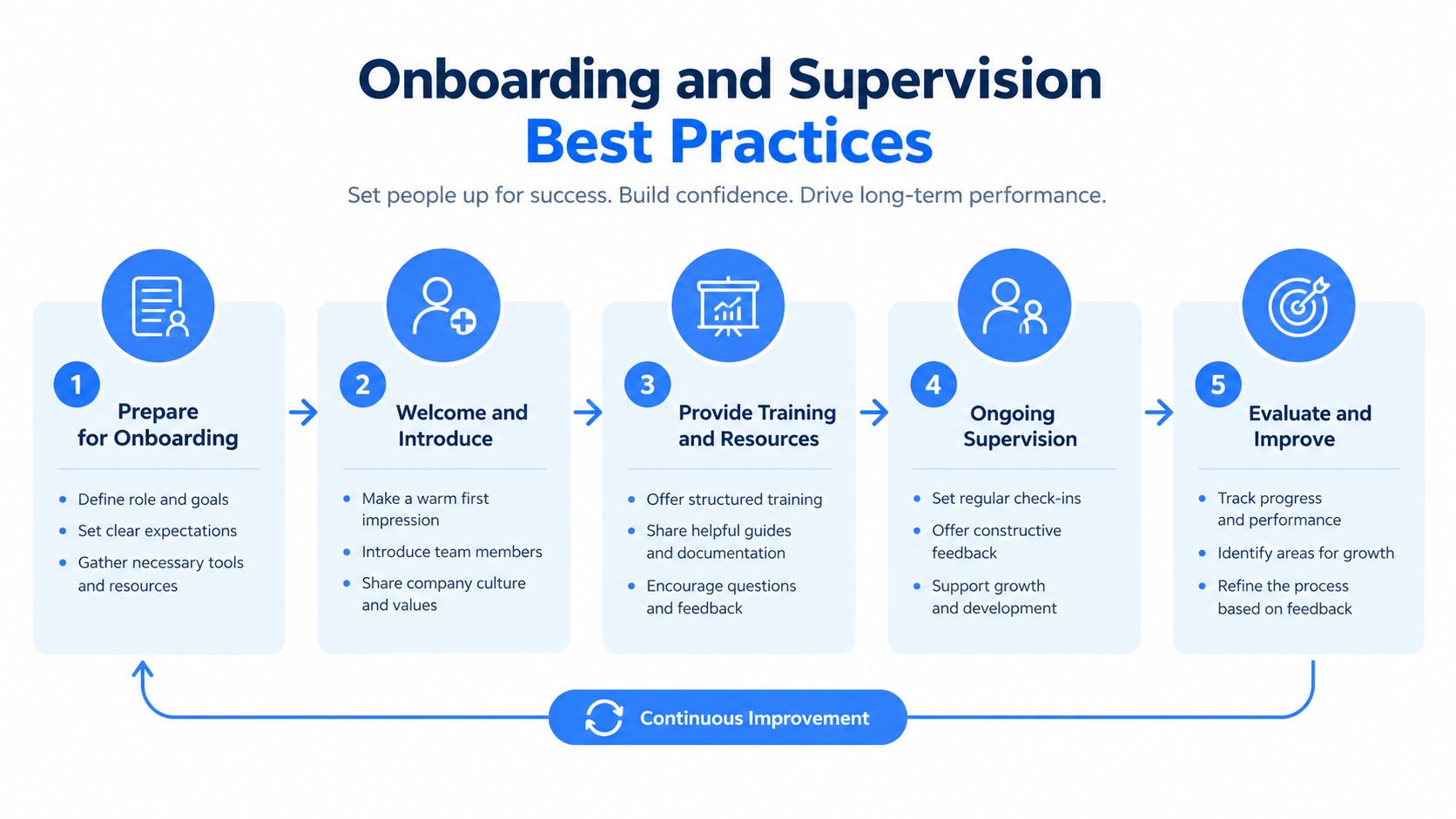
Successful onboarding begins with process design, not a welcome email. The firm should choose one workflow, document the inputs and outputs, identify exceptions, and assign a named reviewer. The assistant needs to know not only what to do, but also when to stop.
A controlled first month
Start with access. Create separate firm-managed accounts, apply least-privilege permissions, enable multifactor authentication, and prohibit credential sharing. Access should correspond to assigned matters rather than the assistant's general availability.
Then define the queue. A shared task board or matter-management queue should show the request, source documents, due date, status, reviewer, and escalation reason. That visibility prevents work from disappearing into private messages.
Build review into the workflow. Drafts and extracted information should enter a review state before release. The reviewer records corrections rather than changing the output directly, creating a useful record of recurring failure points.
Set incident expectations. The contract and operating procedure should state how the assistant reports suspected disclosure, lost devices, unauthorized access, or incorrect client communications. The firm should know who can suspend access immediately.
Reassess the process. After the initial operating period, the firm should review precision, missing information, escalations, corrections, and attorney overrides. If one task generates repeated rework, the answer may be a better template, narrower permissions, more training, or removal of the task from the assistant's scope.
The best virtual legal assistant services make supervision visible. Every assignment has an owner, every exception has a route, and every final output has a reviewer.
This approach treats the assistant as a supervised technology layer integrated into secure workflows. It avoids the two common extremes, treating remote support as cheap labor with no controls or treating AI-enabled assistance as an autonomous legal decision-maker.
Common Misconceptions About Virtual Legal Assistance
A low hourly rate can produce a high operating cost. An assistant who works quickly but delivers incomplete intake records, wrong classifications, or poorly structured drafts creates rework for attorneys. Compare providers by the cost of usable output, including review, correction, and follow-up.
The second misconception is that AI removes human supervision. The ABA business law guidance describes meaningful workplace use of generative AI, but adoption does not prove accuracy for every legal task. Its discussion also indicates that legal tools did not outperform general-purpose LLM chatbots on accuracy. Treat plausible answers as drafts requiring verification.
Three assumptions that cause deployment failures
- “Administrative” means risk-free. Calendar entries, document routing, and client messages can affect deadlines, confidentiality, and client expectations.
- “The provider handles compliance.” A staffing provider may manage employment administration, but the firm remains responsible for client information, supervision, and professional duties.
- “More access means more efficiency.” Broad permissions can reduce short-term friction while increasing confidentiality and breach exposure. Narrow access is easier to review and audit.
Supervision shifts rather than disappears. Attorneys may spend less time performing routine work and more time defining procedures, reviewing exceptions, correcting templates, and answering avoidable questions. The arrangement pays off when those controls make output predictable. It fails when a login, an NDA, and a low hourly rate are mistaken for an operating model.
The practical test is straightforward: does the completed task arrive as a reliable output needing focused review, or as a problem the lawyer must reconstruct? Buy the first outcome. Measure correction rates and recurring exceptions, then remove tasks that cannot be controlled.
A firm testing virtual legal assistant services should start with one repeatable workflow, define review and escalation rules, and confirm vendor security before sharing client information. For firms coordinating communications across professional networks, PostWing provides a centralized scheduling workspace for approved updates, helping keep operational messaging organized.